01 / Scan ISBN
Start with the barcode.
Use the ISBN scan route for a book with a barcode.
Your own little reading room
Meet Book Neko. Keep your personal library, next reads and the thoughts between the pages together in one thoughtful Android app.
For Android · Google Play link to be added
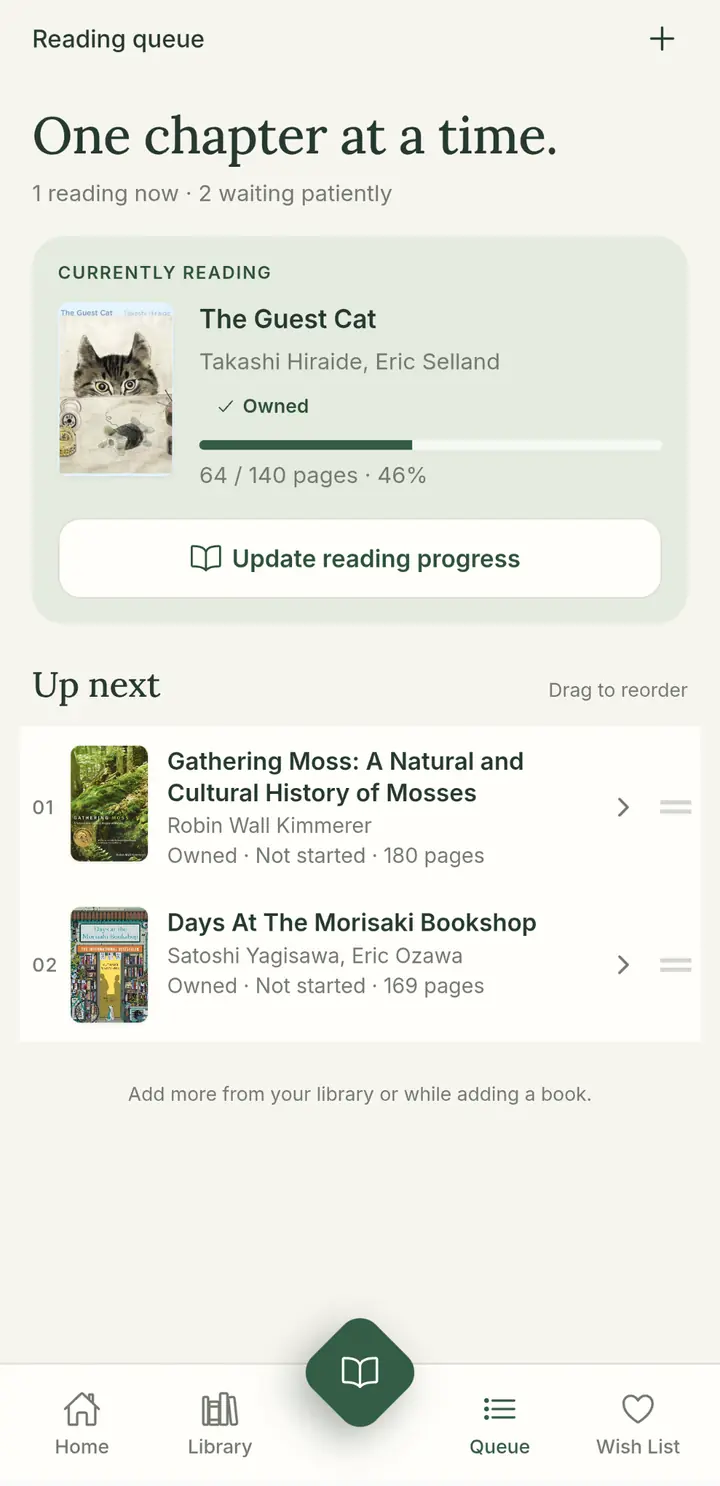
A shelf. A queue. A quiet moment.
Book Neko
Keep physical and digital books together in My Library.
Save possibilities in a Wish List, separate from what you own.
Give your next reads a place in your Reading Queue.
Make room on your shelves
Scan ISBN, search, or enter a book by hand. Choose the starting point that suits the book in front of you.
01 / Scan ISBN
Use the ISBN scan route for a book with a barcode.
02 / Search
Find a title through book search, then check the details.
03 / Manual input
Enter the details yourself. Older books belong here, too.
App screens show the intended experience. Camera scanning and external lookup are visual specifications, not a demonstration of live services.
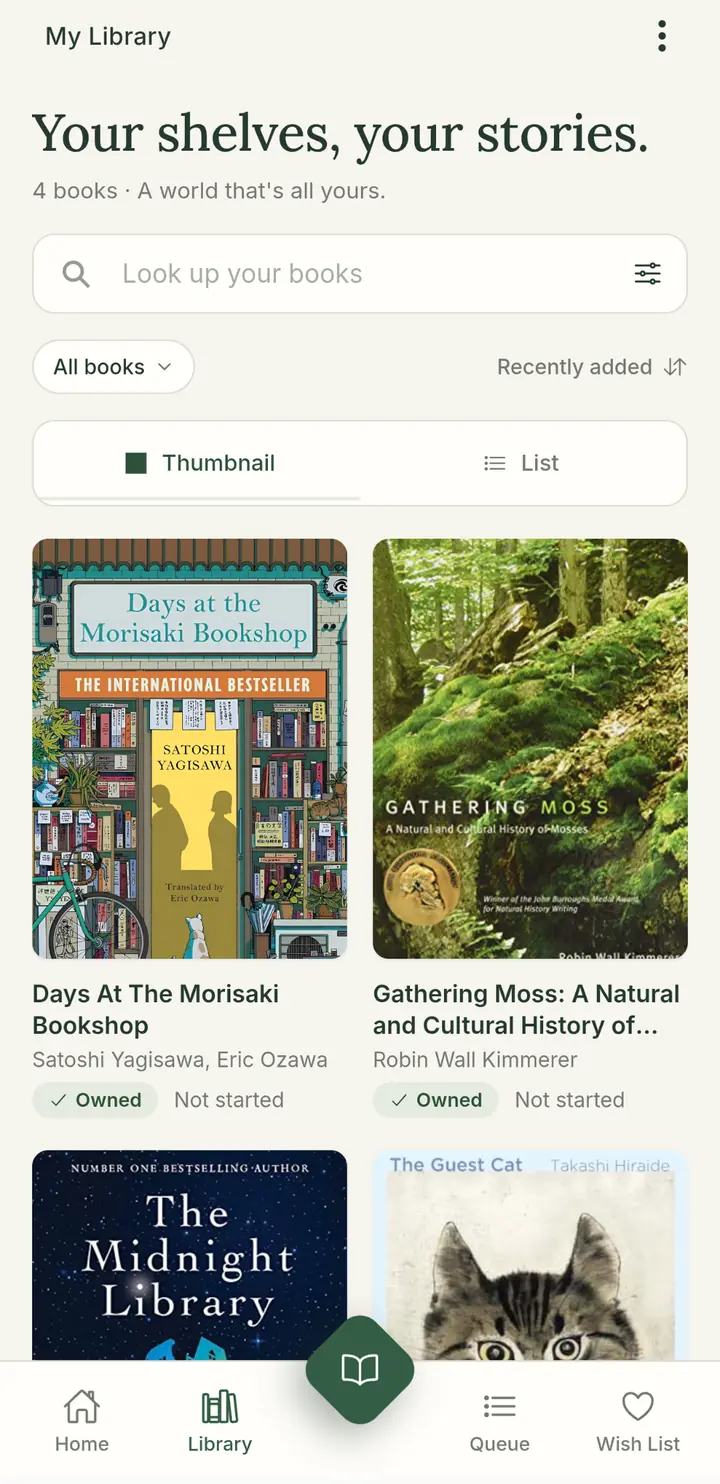
My Library
Rediscover the books you already have. A cover-rich view makes your collection feel like yours, not just another list.
Look up books within your own collection.
Filter and sort, then choose thumbnail or list view.
Physical or digital, with series name and position when a book belongs to a series.
Reading Queue
Keep your current read and your next books close. Follow your page progress and put the waiting pile in an order that feels right.
Current reads · Page progress · Reorder your queue
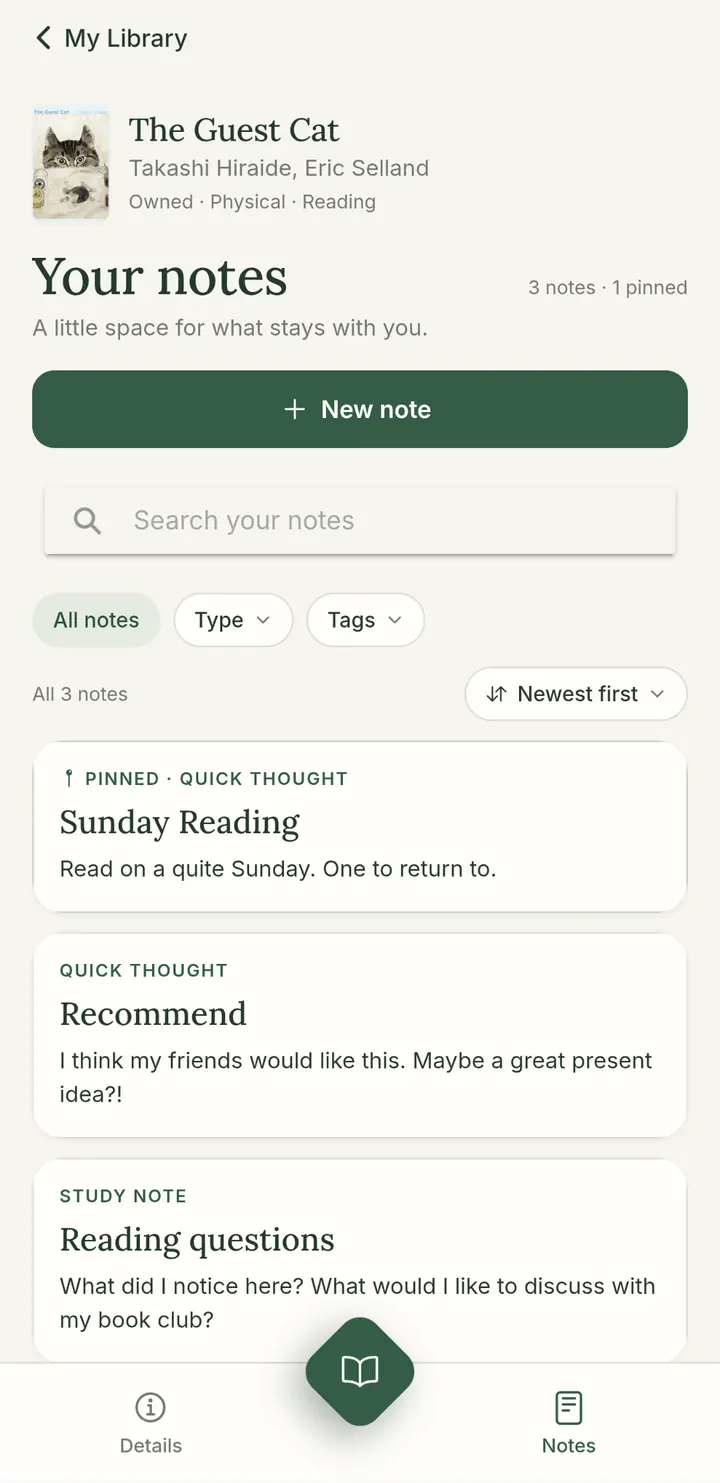
Personal notes
A passing thought. A page to return to. Keep notes with the book that inspired them, then find them again with tags and references.
Search notes · Add page references · Pin a thought
Personal book notes and community reviews have separate places in Book Neko.
A look inside
Familiar spaces for your reading life. Explore the Book Neko app screens, just as they were designed.
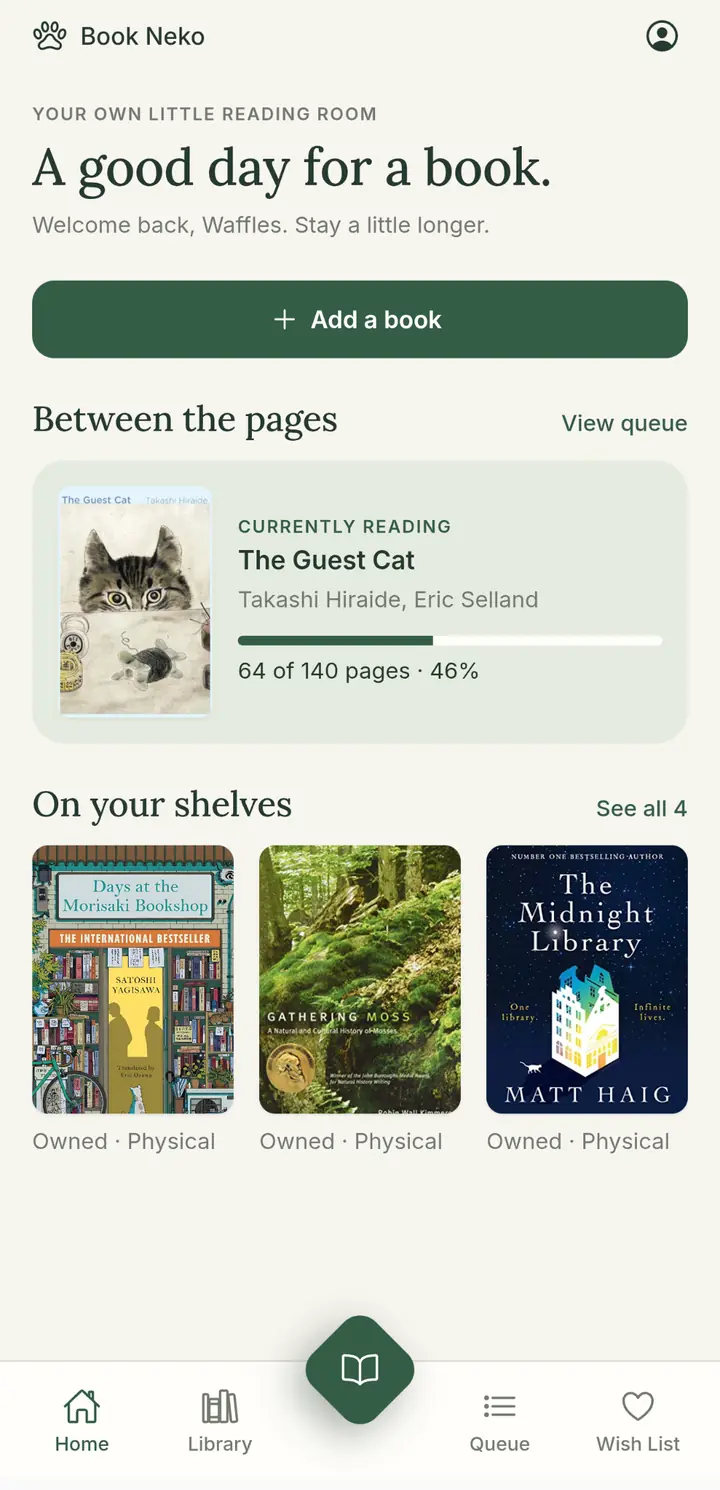
Return to your current read and the books on your shelves.
Browse covers, look up a book and refine your collection view.
See your page progress and the books waiting up next.
Keep book-specific thoughts, page references and pinned notes.
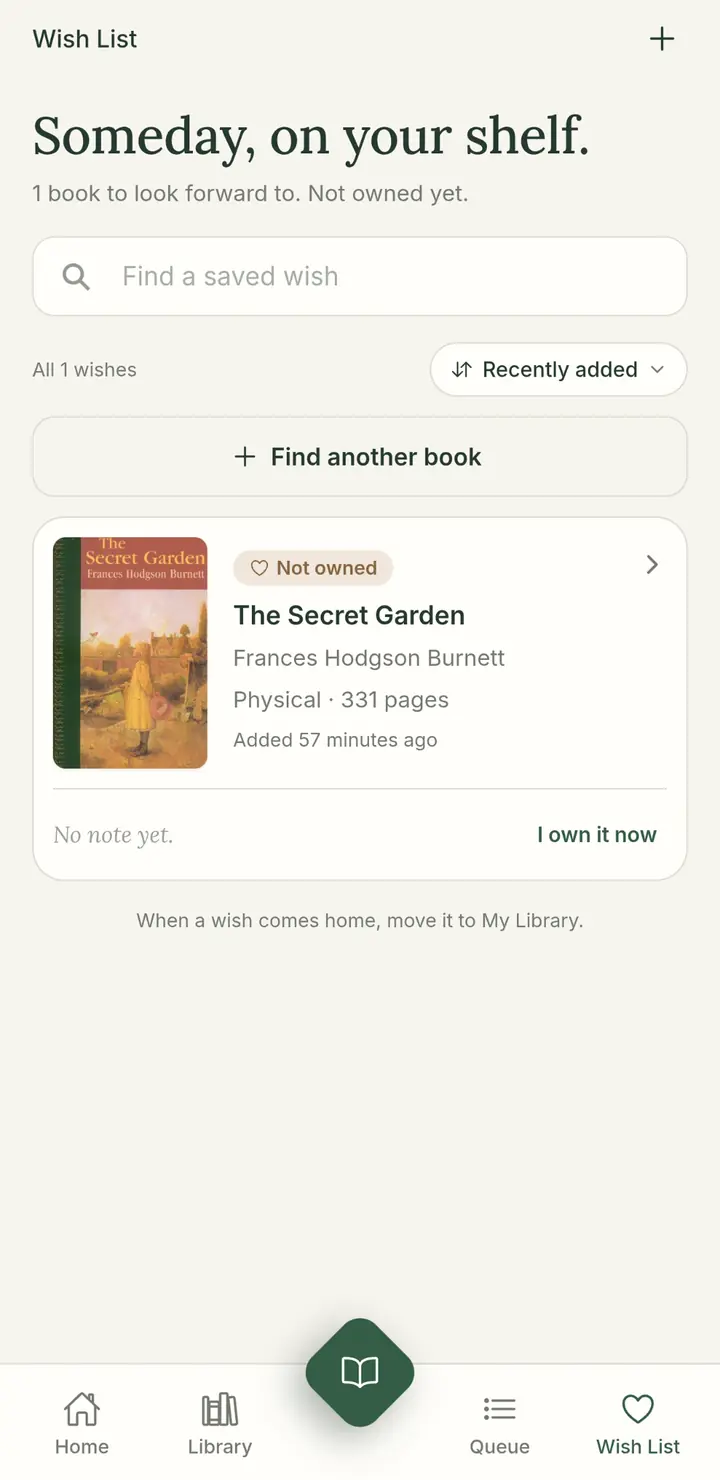
Save books you want to keep in mind, without marking them as owned.
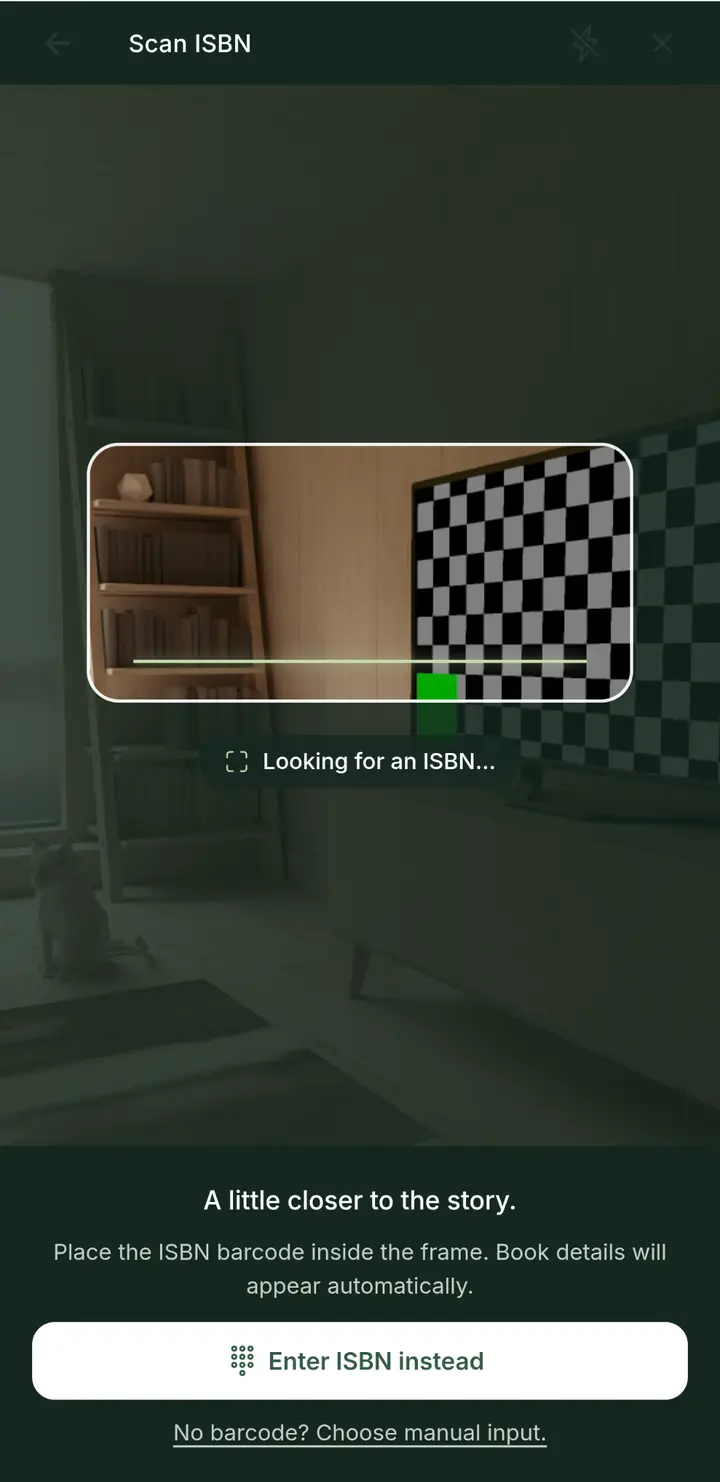
Start with the barcode, type an ISBN, or enter the book yourself.
App design previews · Book titles, notes and collection counts are sample content.
A few practical things
Google Play is the intended download destination. The store listing link will be added here when it is confirmed. No APK download is provided.
Yes. Choose Manual input and enter the book’s details yourself — including older books without an ISBN.
My Library is for books you own. Wish List is for books you want to keep in mind; saving one there does not mark it as owned.
There is no Book Neko account. Your catalog stays on your phone. If you turn on backup, the app writes a file in your own Google Drive, and Book Neko does not keep a server copy of your library. A shared library is a Drive file you choose to share. People you share that file with can read it.
For the books that make you, you
Your library, your next chapter, your little reading room. Meet Book Neko for Android.
GET IT ON Google PlayGoogle Play link to be added